AI Agent in Dashboard
- Role
- Lead Designer
- Industry
- Martech
- Scope
- Research
Product Design - Company
- Supermetrics
- Duration
- 2 months
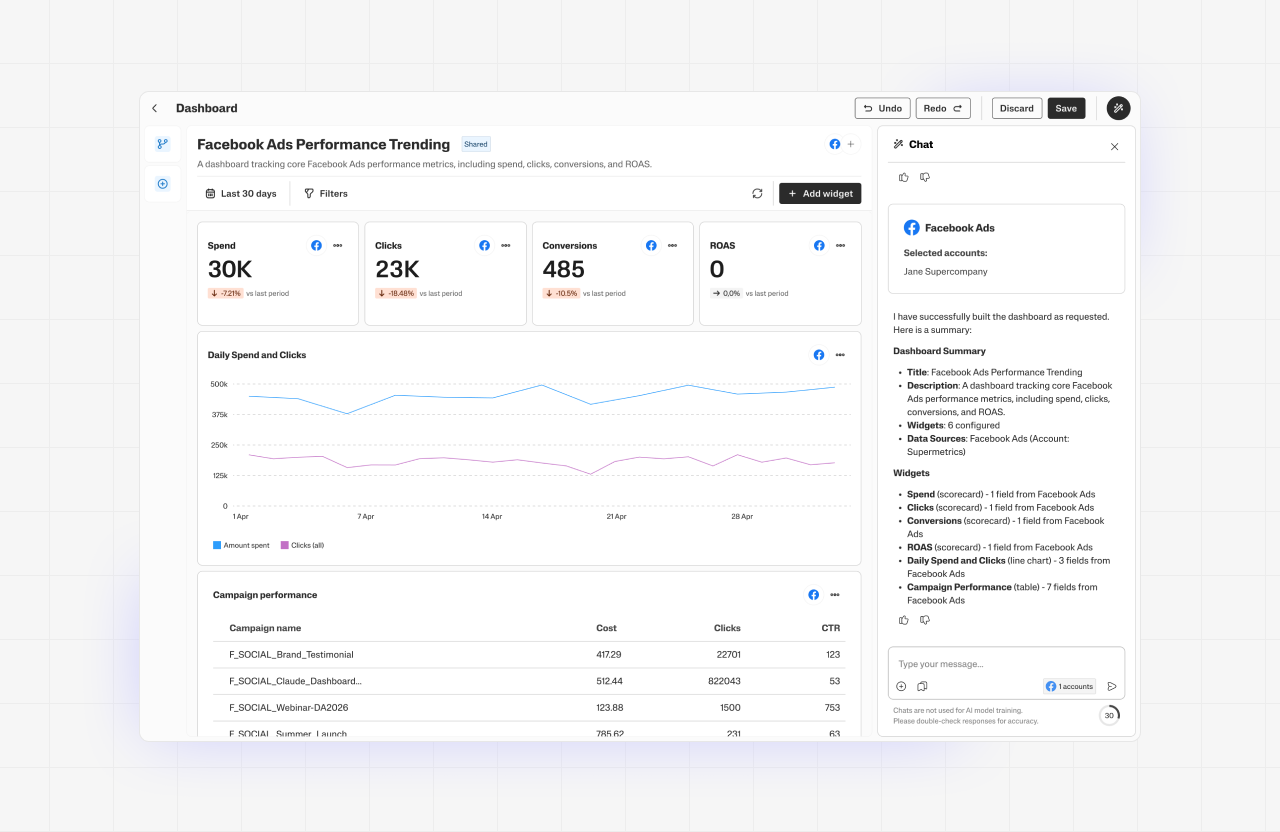
This project focuses on providing SMB marketing professionals with quick and easy access to key insights from their marketing data in our Supermetrics Hub.
Exploration & direction
Based on previous research, we laid out a few functions that would help our users:
- Builder: creates a dashboard from a prompt
- Migrating: recreates a dashboard from an uploaded image
- Branding: applies styling from a reference image
- Blending: create data blend from a prompt
We defined the success criteria, and moved to write user stories and move on to the user flow design.
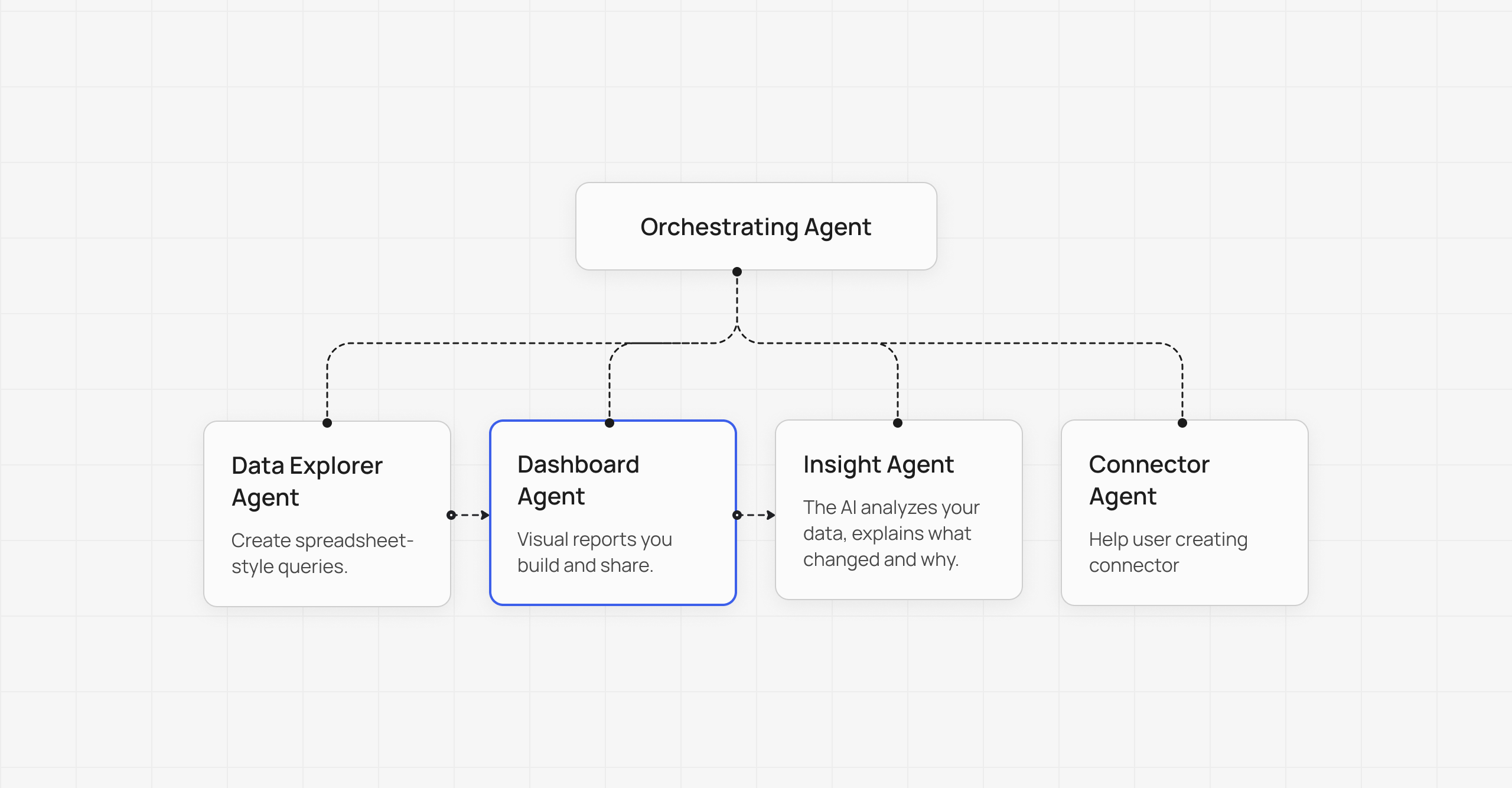
The team were all new with creating an Agent so this is a learning process for all of us. All designers working on AI synced regularly and maintained a shared status folder. This keeps everyone aligned.
- I follow the AI principle guideline set by our principal designer to keep consistency
- We have weekly syncs with Data Explorer team: tracking progress, avoiding duplicate work, flagging uncertainties early
Challenges
AI was new for everyone: engineers needed exploration time before any estimation could start, making planning uncertain
- Opportunities felt endless on the design side, however we had to cut scope to the bare minimum, the rest can be added later on.
- Screen real estate was a constant tension: how to balance toolbar and agent chat while keeping the dashboard legible
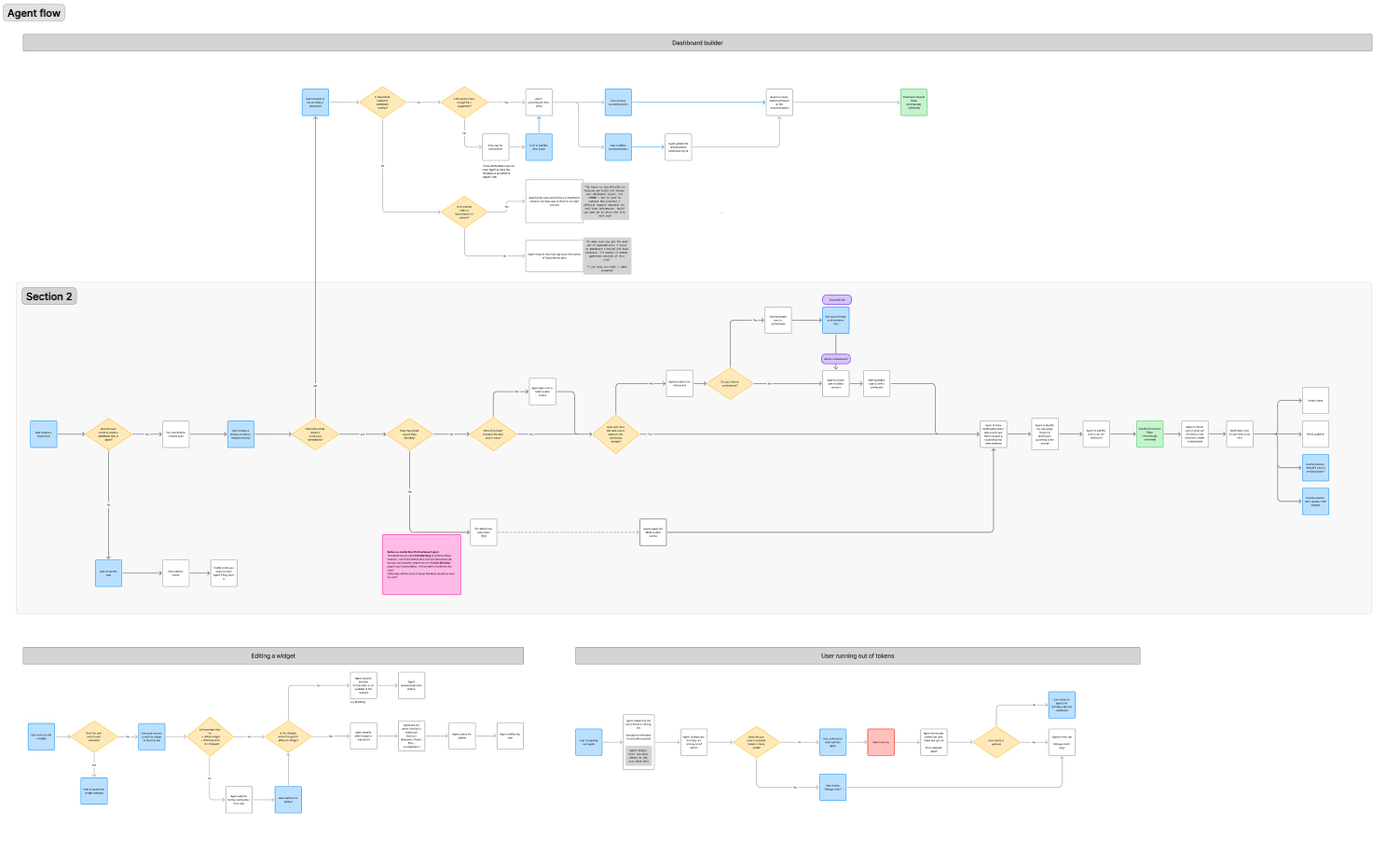
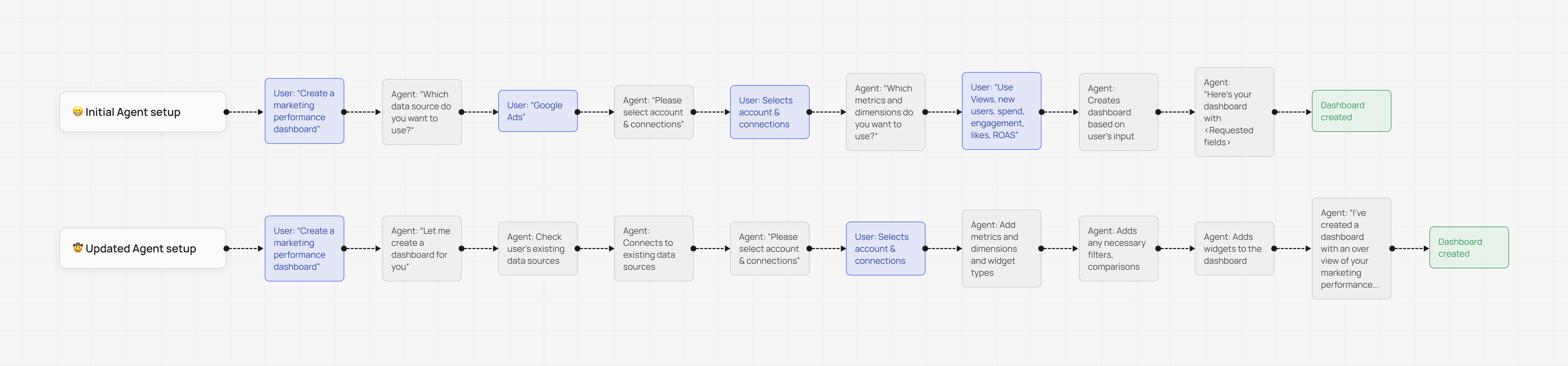
In this project, user flow is heavily utilized due to it being easier to follow the logic. It is also easier for developer to follow the user flow rather than Figma prototype. This is a collaborative project, design and development work hand in hand.
The “Wow” Moment and the Tradeoff
We have to make a decision for the “Wow” moment and the agent’s functionality:
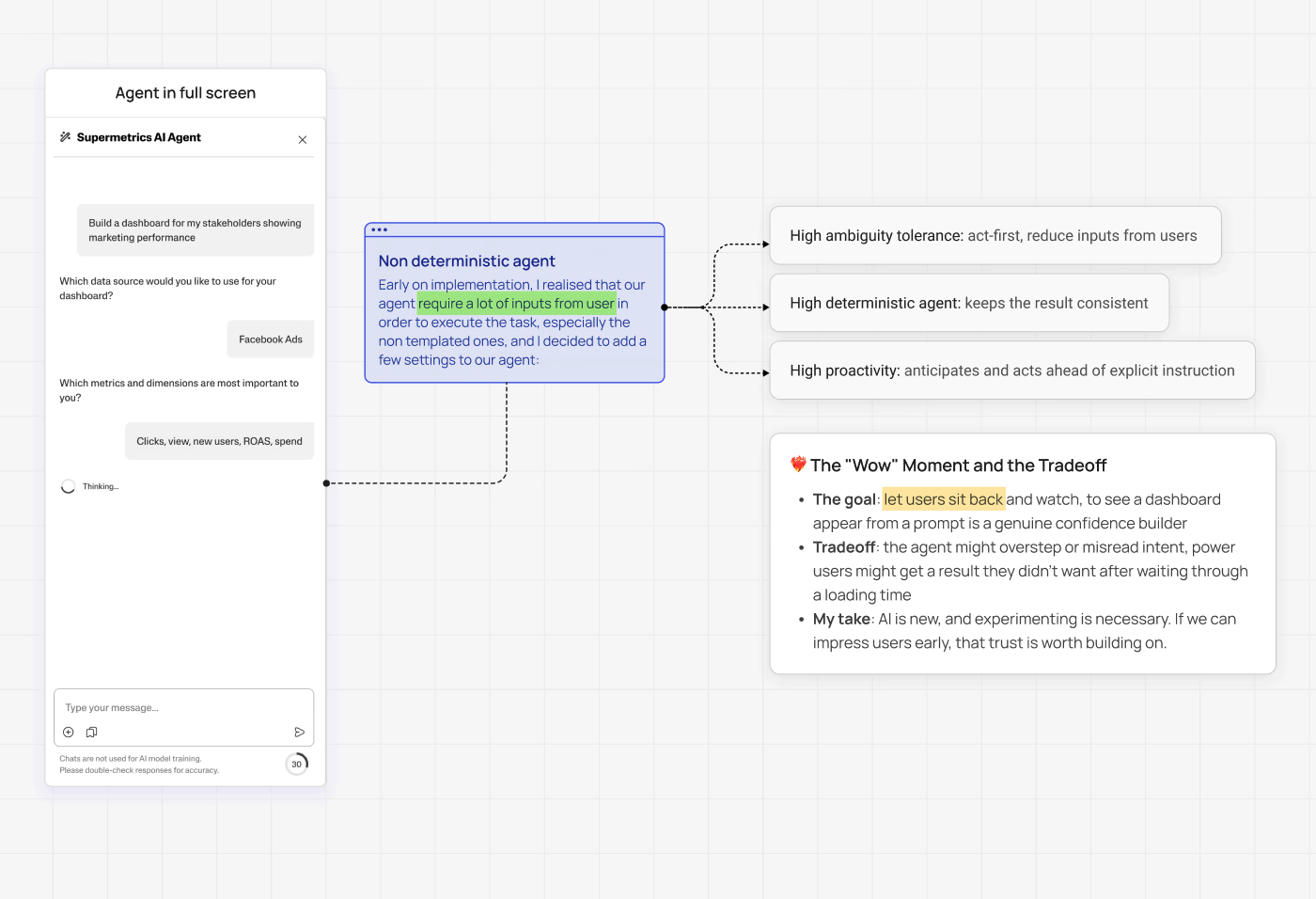
Early on implementation, I realised that our agent require a lot of inputs from user in order to execute the task, especially the non templated ones, and I decided to add a few settings to our agent:
- High ambiguity tolerance: act-first, reduce inputs from users
- High deterministic agent: keeps the result consistent
- High proactivity: anticipates and acts ahead of explicit instruction
The tradeoff:
- The goal: let users sit back and watch, to see a dashboard appear from a prompt is a genuine confidence builder
- Tradeoff: the agent might overstep or misread intent, power users might get a result they didn’t want after waiting through a loading time
- My take: AI is new, and experimenting is necessary. If we can impress users early, that trust is worth building on.
Future vision
The agent is currently focused on creation, but the natural next step is making it contextual. Prompts should be informed by the user’s connected data sources, workspace context, and their history of previously created dashboards.
Beyond that, I want to expand what the agent can do, not just building, editing and theming, but showing insights from the number in the dashboard. That’s where it becomes genuinely useful, not just impressive.
For now we’re starting with three template prompts, but that’s the direction I’m aiming for.